
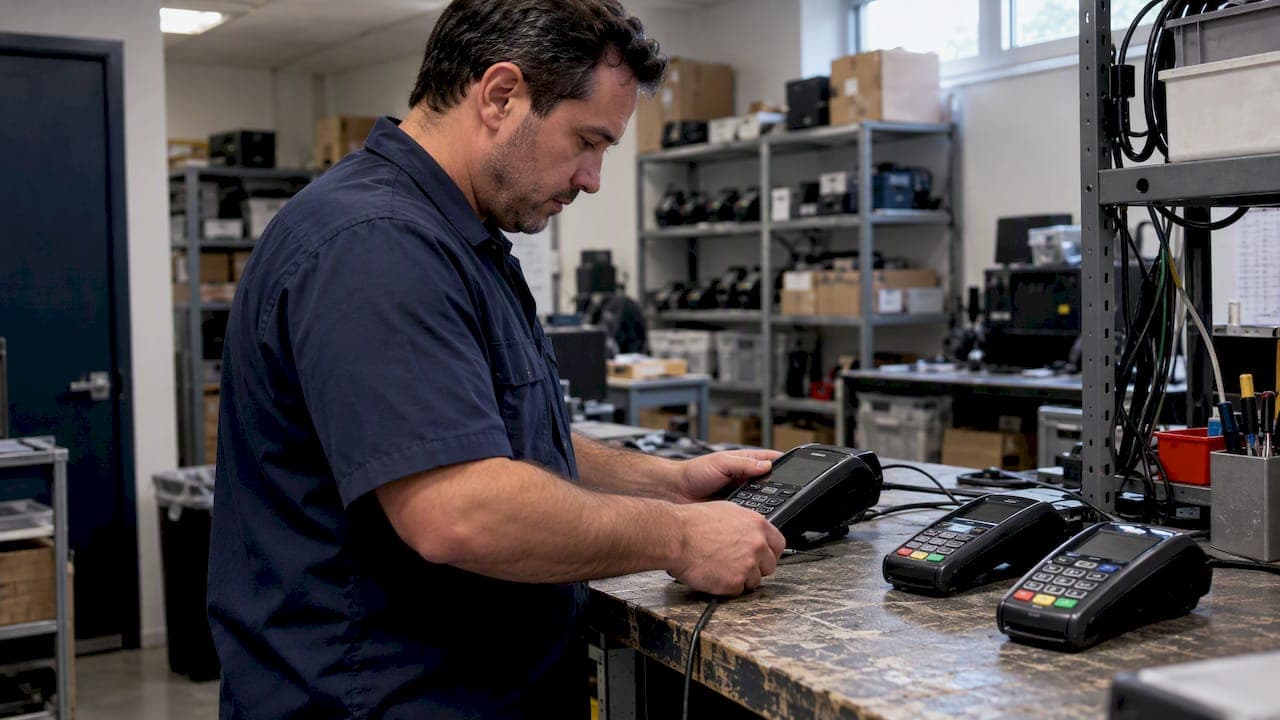
EMV fallback happens when a chip-capable terminal cannot read a presented chip card and the transaction reverts to a magnetic-stripe swipe or keyed entry. This reversion carries elevated fraud and liability exposure for merchants, which is why the U.S. Payments Forum recommends active monitoring and corrective action whenever fallback becomes frequent.
TL;DR:
- Most fallback events result from damaged chips, misconfigured terminals, or worn hardware, not from genuine card issues or network problems.
- Monitoring fallback rates at the device level and implementing a threshold of three chip attempts before fallback reduces fraud risk and checkout delays.
- Proper staff training and customer cues, such as instructing to hold the card until a beep, help prevent avoidable fallback caused by improper card insertion.
- Hardware replacement and software verification immediately after fallback spikes can identify and fix misconfigurations or worn card readers efficiently.
- Following recommended procedures for attended fallback transactions and maintaining detailed logs supports liability management and dispute resolution.
Table of Contents
- What counts as EMV fallback and when networks allow it
- How fallback happens: causes, flags, and data to inspect
- Fraud patterns behind fallback and how to stop them
- Monitoring and thresholds that catch problems early
- A troubleshooting checklist to reduce fallback
- How fallback changes authorization time and the checkout experience
- Legal and liability questions merchants should understand
- What the data shows about fallback rates over time
- Reducing fallback through better hardware and clearer customer habits
- Why fast integration and clear reporting matter for fallback risk
- Getting EMV integration and monitoring right from the start
- Primary sources worth bookmarking
- Sources
- FAQ
What counts as EMV fallback and when networks allow it
A fallback transaction occurs when a chip card is presented, the chip read fails, and the terminal falls back to an online magnetic-stripe capture instead. The U.S. Payments Forum defines this scenario specifically: chip present, chip unreadable, stripe used as the recovery path. That is different from a terminal that simply lacks chip capability or from a deliberate phased rollout where chip acceptance is not yet active.
Networks classify a transaction as fallback using a combination of data elements rather than a single flag. The main indicators are:
- POS entry mode: identifies how the card data entered the transaction, distinguishing chip read from stripe or key entry.
- Terminal Entry Capability (TEC): reports what the terminal is actually configured to accept.
- Card service code: confirms the card itself supports chip, helping separate true fallback from cards that never had a working chip.
Reading these three together is what separates genuine fallback from routine stripe-only acceptance.
How fallback happens: causes, flags, and data to inspect
Most fallback events trace back to a handful of physical or configuration problems. A damaged or blank chip, tape or a sticker covering the chip contact, a card inserted upside down or too quickly, a worn reader slot, or an AID mismatch between card and terminal can all force a drop to stripe. Software or AID misloads during a terminal deployment are a less obvious but common cause.
When investigating a case, pull these data points from terminal logs or processor reports:
- TEC and POS entry mode together, to confirm the terminal both can and did attempt a chip read.
- Card service code, to rule out a card with no functioning chip.
- Relevant EMV tags, including issuer and terminal action codes, which show why the chip transaction was not completed.
- The API emv.fallback field, a boolean exposed in Visa Acceptance Solutions documentation that signals whether a fallback method is available for that transaction.
The emv.fallback field only indicates availability. It does not authorize the transaction, and the processor must support fallback handling for the field to carry any meaning.
Fraud patterns behind fallback and how to stop them
Counterfeit cards are often built with a working magnetic stripe and a chip that is damaged, blank, or deliberately disabled, because forcing fallback lets a criminal bypass the stronger chip verification. Visa's mitigation guidance flags several warning signs worth watching for: repeated fallback attempts on the same card, high-value purchases that do not match the customer's typical pattern, a chip that looks physically damaged while the stripe reads cleanly, and fallback events clustered at one terminal or time of day.
A simple, repeatable floor process reduces exposure:
- Inspect the card before swiping. A chip that is scratched, melted, or covered with foreign material is a red flag.
- Attempt the chip read fully before allowing fallback, rather than swiping as a shortcut.
- Have the cashier perform the fallback swipe directly and read-and-compare the last four digits against the receipt.
- Ask for a second form of payment if the card fails inspection or the names and numbers do not match.
Terminal settings reinforce the floor process. Visa recommends allowing 2 to 3 chip attempts before permitting fallback, requiring attended handling on higher-risk lanes such as unattended kiosks, and applying velocity checks that catch repeated fallback attempts across a short window.
Pro Tip: Set your chip-attempt counter to 3 tries minimum before fallback unlocks. A single failed tap or insert is rarely the card's fault.
Monitoring and thresholds that catch problems early
Fallback rates need to be tracked by terminal, register, location, staff member, and time window, not just as a single store-wide number. A spike tied to one register usually points to hardware or a lone employee's habits, while a spike tied to one time block often signals a software deployment issue.
Payments Forum guidance](https://www.uspaymentsforum.org/wp-content/uploads/2017/03/Fallback-Transaction-Guidance-FINAL-Dec-2016.pdf). Rates in the 50 to 100% range at a terminal typically point to misconfiguration rather than fraud.
Processor reports and terminal logs are the main tools for this work. A few habits make the review useful:
- Pull fallback counts weekly, broken out by device ID.
- Flag any single terminal running well above the merchant average.
- Prioritize concentration over isolated incidents. One fallback on a busy Friday rarely means much; ten from the same register in a day does.
A troubleshooting checklist to reduce fallback
When fallback rates climb, work through a fixed checklist rather than guessing. Visa's operational guidance notes that TEC misconfiguration alone can push a newly deployed terminal to 100% fallback, which makes this the first place to look.
- Confirm every AID required by supported networks is actually installed on the terminal.
- Check that TEC and POS entry mode settings match the terminal's real chip capability, since a software or hardware deployment can mistakenly flag chip support that is not actually working.
- Review recent software pushes for a faulty download that coincides with the start of elevated fallback.
- Physically inspect readers for worn or damaged chip contacts and replace hardware showing visible wear.
- Set the chip-attempt counter to 2 or 3 tries before fallback activates.
- Train staff on the standard fallback workflow, including cashier-performed swipes and read-and-compare checks on every fallback transaction.
Running this list after any spike usually isolates the cause within a single visit to the affected terminal.
How fallback changes authorization time and the checkout experience
Fallback transactions typically route through the same authorization network as a chip transaction, so the processing step itself does not add meaningful delay. The time cost shows up earlier in the flow: a failed chip read, a second insertion attempt, and the cashier taking over to swipe all add seconds that a smooth chip tap would have skipped. For a single customer that delay is minor. Multiplied across a busy lunch rush or a holiday checkout line, repeated fallback events slow the whole lane.
Customer experience takes a second hit beyond speed. A fallback swipe often requires a signature or additional verification step that a chip or contactless tap does not, which can read as outdated or suspicious to shoppers who expect a quick tap. Staff asking to inspect a card or requesting a second payment method, while the right fraud control, can feel like friction to a customer in a hurry even when it is handled politely.
The practical takeaway for merchants is that fallback is rarely a one-time inconvenience. A terminal or AID misconfiguration that triggers fallback on one card will trigger it on the next one too, so the checkout slowdown compounds across every transaction that hits the same faulty device until the underlying cause is fixed. Treating a cluster of fallback events as a configuration problem, rather than a string of unlucky cards, keeps the checkout line moving and avoids repeated customer friction tied to the same root cause.

Legal and liability questions merchants should understand
Liability for fraud on a fallback transaction generally shifts based on how the chip read failure occurred and whether the merchant followed the recommended handling steps. When a merchant properly attempts the chip read, follows the attended fallback process, and the counterfeit card still passes, the loss allocation generally follows network liability rules tied to chip migration, which shift fraud liability toward whichever party did not support chip technology correctly.
Where merchants carry more exposure is in skipped steps: swiping a card without attempting the chip read first, skipping the read-and-compare check, or allowing unattended fallback on a self-service kiosk without added verification. Visa's mitigation documentation frames attended handling and card inspection as the baseline expectation for fallback transactions, and deviating from that baseline is the kind of gap that complicates a merchant's position in a dispute.
Chargebacks tied to fallback transactions are also handled differently than a standard chip-read dispute, since the documentation trail (why fallback occurred, whether the attempt counter was followed, whether the card was inspected) becomes part of the evidence a processor or network reviews. Keeping terminal logs, including TEC and POS entry mode values for the disputed transaction, gives a merchant something concrete to point to rather than relying on memory of the sale.
None of this is a substitute for guidance specific to a merchant's agreement or jurisdiction. The network documents above describe the general framework, and a merchant's processor or acquirer is the right place to confirm how liability rules apply to a specific account and card brand mix.

What the data shows about fallback rates over time
Fallback was expected to spike immediately after the United States shifted liability rules for chip transactions, since many merchants and card issuers were still catching up on chip-enabled hardware and card reissuance. The Payments Forum](https://www.uspaymentsforum.org/wp-content/uploads/2017/03/Fallback-Transaction-Guidance-FINAL-Dec-2016.pdf) is built around.
Where elevated fallback still shows up tends to follow a pattern tied to deployment events rather than geography or industry alone. Visa's operational guidance points specifically to newly deployed terminals with TEC misconfiguration as a source of fallback rates that can reach 100% at an individual device, even while the rest of a merchant's fleet sits well under 2%. That gap between a single misconfigured terminal and a healthy fleet average is exactly why per-terminal tracking matters more than a single blended number across all locations.
Industries with higher card-not-present volume, older terminal fleets, or frequent new-location rollouts are more likely to see fallback clusters simply because they have more opportunities for an AID or TEC setting to be wrong somewhere in the fleet. The fix in every case traces back to the same checklist: verify AIDs, confirm TEC flags, and check what changed around the time the fallback rate moved. Chasing a regional or industry-wide fallback number is less useful than watching each merchant's own device-level trend line.
Reducing fallback through better hardware and clearer customer habits
Terminal age is one of the more fixable drivers of fallback. Aging chip readers develop worn contacts that struggle with normal insertion, and replacing that hardware on a predictable cycle removes a steady source of false fallback that has nothing to do with the card itself.
Software hygiene matters just as much as hardware. Since Visa's guidance ties sudden fallback spikes to faulty deployments and incorrect TEC flags, scheduling a quick fallback-rate check after every software push catches a misconfiguration before it runs for weeks unnoticed.
Consumer habits play a smaller but real role. Shoppers who insert a card too quickly, at an angle, or pull it out before the read completes can trigger a fallback that has nothing to do with the card or terminal. Clear signage near the reader and a cashier prompt ("hold until you hear the beep") reduces this category of avoidable fallback without any hardware change.
Put together, the lowest-fallback merchants tend to combine three habits: a replacement cycle for aging readers, a quick fallback check after every software update, and simple customer-facing cues at the point of insertion. None of these require complex tooling, just consistent follow-through across every lane and location.
Why fast integration and clear reporting matter for fallback risk
Correct EMV setup from day one prevents most configuration-driven fallback before it starts and can benefit from comprehensive card acquiring services that ensure processor-level fallback handling. Some payment processors offer fast EMV integration with per-terminal reporting, so merchants see device-level fallback metrics and get a clear remediation path instead of guessing.
— PaySec Marketing Team
Getting EMV integration and monitoring right from the start
Merchants juggling AIDs, TEC settings, and per-terminal fallback reports often find the setup work takes longer than the actual payment processing decision. PaySec approaches this differently: EMV integration for point-of-sale systems is built to go live in days, not months, and every terminal reports its own fallback activity so a spike at one register never gets buried in a store-wide average.
That device-level visibility matters because, as the sections above show, most fallback problems trace back to one misconfigured terminal, one bad AID load, or one worn reader, not a store-wide issue. Merchants may benefit from fast EMV integration for POS hardware, without months of back-and-forth setup; real-time, per-terminal reporting that isolates fallback spikes to the exact device and time window; support for high-risk verticals including CBD and healthcare, where fallback monitoring carries extra weight; and transparent remediation guidance when a terminal's fallback rate climbs above normal.
Merchants ready to see current plan details can review Network Offset, Flat Rate, and Custom Enterprise pricing, and those needing replacement or upgraded hardware can check terminal and free placement options.
Primary sources worth bookmarking
The guidance behind this article comes directly from network and industry documentation, and reviewing the originals is worthwhile before changing terminal settings or escalating a dispute.
- U.S. Payments Forum fallback transaction guidance, covering definitions, thresholds, and remediation.
- Visa's mitigating fraud on chip fallback transactions, covering attended handling and fraud controls.
- Visa Acceptance Solutions API field reference for emv.fallback, for developers integrating the field directly.
- Visa's managing fallback transactions guide, covering TEC misconfiguration and deployment errors.
Acquirers and processors can also pull account-specific fallback reports, which is usually the fastest route to a device-level answer.
Sources
- Mitigating fraud on chip fallback transactions — Visa
- EMV Implementation Guidance: Fallback Transactions — U.S. Payments Forum
- API fields - pointOfSaleInformation.emv.fallback — Visa Acceptance Solutions
- Managing fallback transactions — Visa
FAQ
What does EMV fallback mean?
EMV fallback means a chip-capable terminal could not read a presented chip card, so the transaction reverted to a magnetic-stripe swipe or keyed entry. The U.S. Payments Forum defines this specifically as a chip-present, chip-failed scenario, distinct from a terminal that never supported chip at all.
What is a fallback transaction and how does it work?
A fallback transaction starts with a normal chip insertion attempt. When the chip read fails due to damage, a dirty contact, or an AID mismatch, the terminal captures the card data from the magnetic stripe instead and sends it as an online stripe transaction, flagged by POS entry mode and TEC data.
What is an EMV transaction?
An EMV transaction is a payment where a chip-enabled card is read by a compatible terminal using the EMV chip standard, rather than a magnetic stripe swipe or manually keyed card number. It uses cryptographic data exchange between card and terminal, which is why issuers generally treat chip transactions as lower risk than fallback or keyed entries.
Is EMV the same as NFC?
No, EMV and NFC are different technologies that often appear on the same card or terminal. EMV refers to the chip standard read through physical contact or insertion, while NFC is the wireless technology behind contactless tap payments, and a single terminal can support both alongside fallback stripe acceptance.
How can merchants reduce EMV fallback rates?
Merchants reduce fallback by verifying all required AIDs are installed, confirming TEC and POS entry mode settings match actual terminal capability, and replacing worn chip readers. Setting the chip-attempt counter to 2 or 3 tries before fallback activates, as Visa recommends, also cuts down on fallback triggered by rushed insertions rather than real hardware failure.