
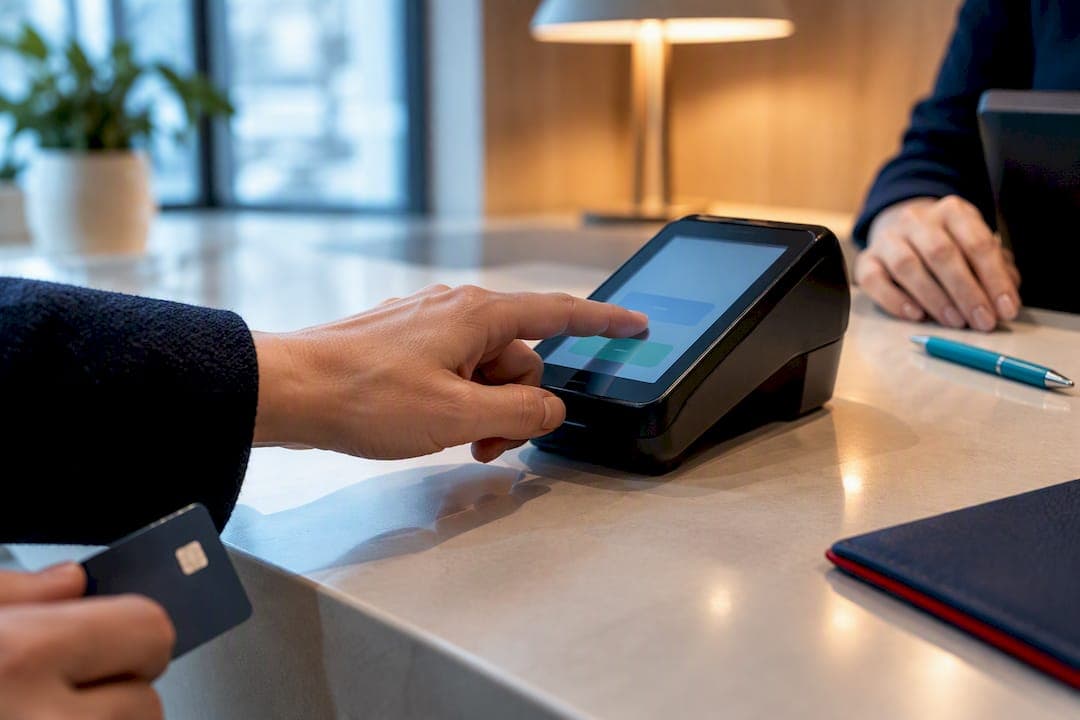
Card on file consent means a customer has given clear, documented permission to store their card and charge it later without swiping or entering the number again. If you store a card without that documented permission, you're exposed to chargebacks, network penalties, and declined transactions. Get written or electronic consent first, record exactly what the customer agreed to, and send the correct stored-credential indicators on every charge that follows.
TL;DR:
- Merchants must obtain clear, documented consent before storing a customer's card for future charges, especially for subscriptions, recurring services, or usage-based fees.
- Properly marking stored-credential transactions with POS environment values and indicators increases approval rates and avoids declines or downgrade fees.
- Recordkeeping should include customer authorization details, timestamp, and card details, with immediate action taken if a customer revokes consent to prevent chargebacks.
- Using tokenization and complying with Visa and Mastercard rules, including accurate flagging of stored credentials, ensures legal and operational security.
- Payment processors that handle tokenization, credential indicators, and instant reporting simplify compliance and can reduce processing costs for recurring billing businesses.
Table of Contents
- What Card-on-File Consent Means and When You Need It
- Visa and Mastercard Rules for Stored-Credential Transactions
- What Every Card-on-File Consent Form Must Include
- How to Implement Card-on-File Consent Step by Step
- Sample Consent Language for Recurring and One-Time Charges
- Recordkeeping, Revocation, and Dispute Defense
- Why Getting Consent Right Pays Off for Merchants
- Put Compliant Card-on-File Processing to Work With a Payment Processor
- Sources
- FAQ
What Card-on-File Consent Means and When You Need It
Card-on-file (COF) consent covers any situation where you keep a customer's payment credential to charge it again later, without them re-entering their card details each time. That's different from a one-time authorization, where the customer types in card numbers for a single purchase and you never touch that credential again.
The line between the two matters legally and operationally. A single-use authorization only needs the customer's approval for that specific transaction. A stored credential needs upfront disclosure and consent covering every future use, because the customer isn't present to approve each individual charge.
Common scenarios that require documented COF consent include:
- Subscriptions and SaaS billing — monthly or annual charges tied to a plan
- Recurring services — gym memberships, utilities, retainer-based work
- Unscheduled charges — usage-based billing, overage fees, or variable invoice amounts
- Deposits and holds — hotels, rentals, or service bookings that pre-authorize a card
- No-show or cancellation fees — healthcare practices, salons, and restaurants that charge for missed appointments
If you're only running a card once for a defined amount at the customer's request, a simple credit card authorization for that transaction is enough. Once you plan to reuse that card without the customer initiating each charge, you need standing consent on file. That distinction is exactly what card networks built their stored credential frameworks around.
Visa and Mastercard Rules for Stored-Credential Transactions
Visa's Stored Credential Transaction Framework requires merchants to disclose that a card will be stored, obtain the cardholder's consent, and then flag every related transaction with the correct indicator. Mastercard runs a parallel structure under its own merchant-initiated transaction (MIT) rules, and both networks expect the same basic discipline: identify the first storage event, then mark every reuse of that credential.
Three POS environment values do the heavy lifting:
- C — cardholder-initiated, used when the customer is present and actively authorizing the storage
- R — recurring, used for scheduled charges like subscriptions
- I — installment, used for a series of fixed payments tied to one purchase
Every subsequent transaction that draws on a stored credential also needs POS Entry Mode Code 10, which tells the network this charge came from data on file rather than a fresh card swipe or entry. Skip that code and you risk downgraded interchange or outright declines.
Stored-credential compliance and approval rates: Merchants who correctly mark stored-credential transactions and submit prior-payment IDs on follow-on charges typically see higher authorization approval rates than merchants who treat every charge as a fresh, unflagged transaction.
If no money changes hands at the moment you store the card, run an Account Verification instead of a authorization. This confirms the card is valid and open without placing a charge, which matters for signups, trials, and appointment bookings where the first real charge comes later.
One rule trips up more merchants than any other: if your initial attempt to store a card is declined, you cannot use that credential for any later transaction. You have to either collect a valid card or successfully run an Account Verification before that credential is usable for anything.
What Every Card-on-File Consent Form Must Include
A defensible consent form isn't a legal document stuffed with boilerplate. It's a short, specific record of what the customer agreed to, written so a bank dispute analyst can read it in ten seconds and understand exactly what was authorized. A written authorization form is the standard way merchants prevent fraud claims and reduce chargeback losses.
- What you're storing — disclose that you're keeping the card on file, referencing only the truncated number (last four digits), never the full PAN in customer-facing text.
- How and when charges happen — state the frequency (monthly, per visit, on invoice) or the specific triggers (no-show, overage, renewal) that activate a charge.
- Amount ranges or fixed pricing — give a dollar figure or a clear range if amounts vary.
- Cancellation and expiration terms — spell out how the customer cancels and how long consent stays active before it needs renewal.
- Change notification — explain how you'll notify the customer before a price change or before the first charge on a variable-amount agreement.
- Refund and dispute process — a short line pointing to how refunds work reduces confusion that turns into chargebacks.
- Convenience fee disclosure — if you charge a surcharge for card payments, disclose the percentage or flat amount in the same form.
- Capture method and retention note — record whether consent was e-signed, signed on paper, or confirmed via a checkbox with a timestamp, and note that you retain that record.
Pro Tip: Keep the consent language on a single screen or page. Long, dense authorization forms get skimmed and skipped, not read, and a customer who didn't actually see the terms is a customer who can win a dispute.
How to Implement Card-on-File Consent Step by Step
Getting the paperwork right is half the job. The other half is wiring your payment stack to actually enforce what that paperwork promises.
Start by collecting consent at the first point of contact, whether that's a signup form, a booking page, or a front-desk tablet, and persist an auditable record immediately: the exact text shown, the timestamp, and the capture method. Don't let that record live only in an email inbox.
- No money moving at capture? Run an Account Verification authorization instead of a real charge, per Visa's stored credential rules.
- Charging something at capture? Include the stored-credential flag (C, R, or I) directly in that authorization.
- Storing the card itself? Tokenize it through a vaulted provider rather than saving the full card number in your own systems. This keeps raw card data out of your environment and shrinks your PCI DSS scope considerably, per PCI's own quick-reference guidance.
- Running a subsequent charge? Wire in the correct POS environment value, POS Entry Mode Code 10, and the prior-payment ID from the original transaction.
- Getting a decline? Stop. Don't retry the stored credential blindly. Collect an updated card or verify the existing one before trying again.
- Card expiring or changing? Route updates through an account updater service so subscriptions and recurring charges keep working without the customer re-entering anything.
A payment gateway built to handle these indicators natively saves you from hand-coding stored-credential logic into every checkout flow.
Sample Consent Language for Recurring and One-Time Charges
You don't need a lawyer to write serviceable consent language, but you do need to be specific about amounts, frequency, and how the customer can opt out.
For recurring subscription billing, something close to this works: "I authorize [Business Name] to charge my card on file $[amount] every [frequency] until I cancel. I can cancel by contacting [email/phone] at least [X] days before my next billing date."
For unscheduled or incidental charges, use language like: "I authorize [Business Name] to keep my card on file and charge it for [service type, e.g., no-show fees, damage, overages] up to $[maximum amount], as needed, until [expiration date or 'this authorization is revoked in writing']."
Everything in brackets is a placeholder you customize. Everything outside the brackets, the authorization verb, the charge trigger, the cancellation path, should stay close to that phrasing because it's what gives the form legal teeth.
Acceptable capture methods, ranked by how much friction they remove:
- E-signature with an audit trail (timestamp, IP address, device info) — the strongest evidence and least friction for the customer
- Signed paper form, scanned and stored securely
- Checkbox plus timestamp on a digital form, paired with a copy of the terms shown at that exact moment
E-sign platforms with a built-in audit trail tend to produce cleaner dispute evidence than paper, since the record includes exactly what the customer saw and when they clicked.
Recordkeeping, Revocation, and Dispute Defense
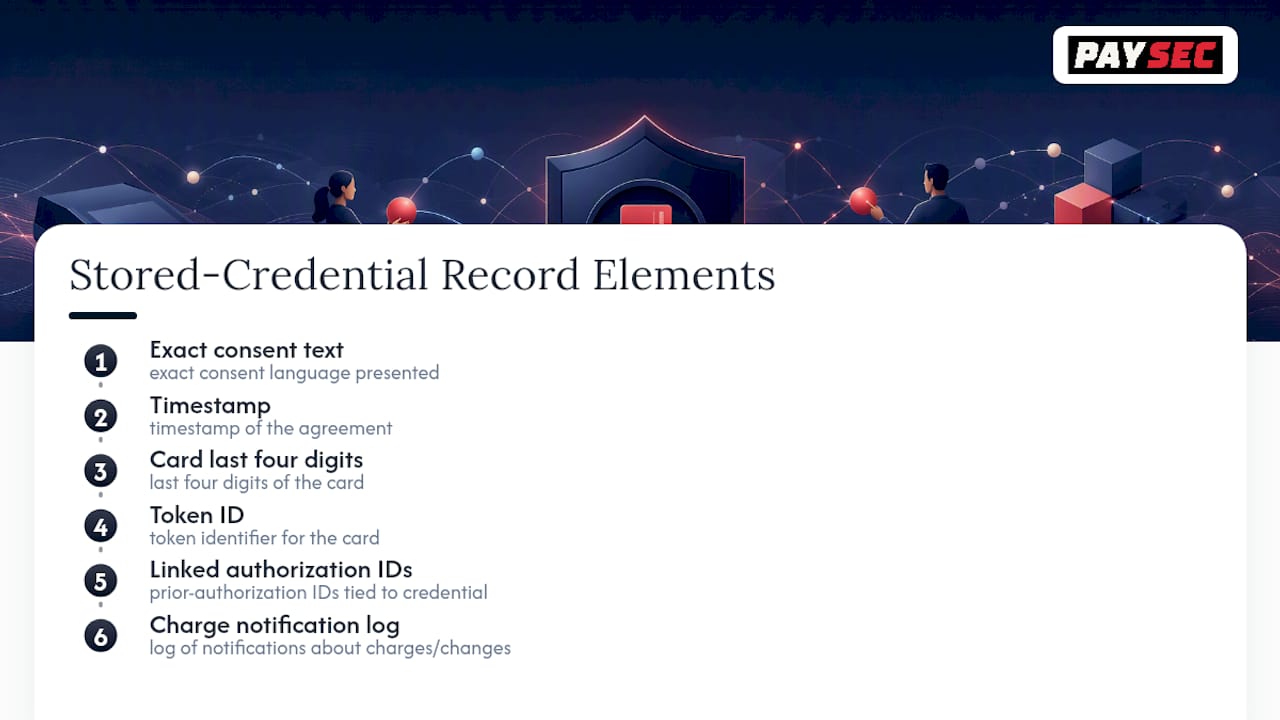
Keep every piece of the consent trail: the exact text the customer agreed to, the timestamp, the last four digits of the card, the token ID, any prior-authorization IDs tied to that credential, and a log of notifications you sent about charges or changes.
When a customer revokes consent, act on it immediately. Stop charging that card, confirm the cancellation in writing, and offer an alternate payment method if the relationship continues. Waiting even one billing cycle after a revocation request is how avoidable chargebacks happen.
Those records are also your defense when a dispute lands. Issuers reviewing a chargeback want to see the exact consent language, proof it was presented before the first charge, and a clear link between that authorization and the disputed transaction. A vague "customer agreed verbally" note doesn't hold up. Solid documentation, similar to how any service handling personal data should disclose its practices clearly, usually does.
One rule stays constant through all of this: never store the full card number unless you've validated PCI DSS controls for that scope. Tokenization and vaulting exist precisely so you don't have to carry that risk.
Why Getting Consent Right Pays Off for Merchants
A clean card-on-file consent program isn't paperwork for its own sake. Merchants who get the disclosure, the indicators, and the recordkeeping right see fewer declines, smoother recurring revenue, and a customer experience that doesn't interrupt every renewal with a failed payment. Card-on-file options tend to improve payment completion rates for exactly that reason, and healthcare practices in particular lean on this for no-show fees and copays.
The most common pitfall is treating consent as a one-time checkbox instead of a system. Merchants skip the stored-credential flags, forget to run Account Verification when no money moves at capture, or keep charging a card after a customer cancels. Each of those mistakes is preventable with the right integration.
A compliant payment infrastructure is built to handle tokenization, stored-credential indicators, and account verification as part of normal processing, with real-time reporting to see exactly which charges are flagged and why.
— PaySec Marketing Team
Put Compliant Card-on-File Processing to Work With a Payment Processor
Network Offset Pricing can provide compliant infrastructure for card-on-file billing without flat-rate markups commonly found in typical processors.
Merchants running subscriptions, recurring invoices, or no-show fees need more than a form. You need a processor that tokenizes card data automatically, applies the right stored-credential indicators on every follow-on charge, and hands you transparent reporting so you can see exactly what's being billed and why. Paysec's Merchant Services cover recurring billing, tokenization, and fraud prevention under one integration, with no long-term contracts locking you in if your needs change. Merchants in industries such as SaaS, healthcare, restaurants, and eCommerce can see significant processing cost reductions by moving to Network Offset Pricing instead of flat-rate markups. Check current pricing and plan details to see how Network Offset, Flat Rate, or Custom Enterprise pricing fits your recurring billing volume, and request a walkthrough of how the stored-credential setup works for your specific business.
Sources
- Improving Authorization Management for Transactions with Stored Credentials (Visa)
- Knowledge Article Detail Page - Visa Acceptance Support Center
- A Complete Overview to Credit Card Authorizations | U.S. Chamber
- Credit Card Authorization Form | DocuSign
FAQ
What does putting your card on file mean?
Putting a card on file means giving a business permission to securely store your payment credential and charge it again later without you re-entering the number each time. It requires the merchant to disclose how and when charges will happen and to get your documented consent before storing it, per Visa's stored credential rules.
Can a company charge a card on file without permission?
No. A business needs documented consent covering the specific charges it plans to make, whether recurring, usage-based, or fee-based. Charging a stored card outside the scope of that consent, or after it's been revoked, exposes the merchant to chargebacks and network penalties.
What does it mean to have a credit card on file?
It means the business has a secure, tokenized version of your card saved for future use rather than requiring you to hand over your card details for every transaction. Under Visa and Mastercard rules, that stored version must be tied to a documented consent and flagged correctly on every subsequent charge.
Is it illegal to keep credit card details on file?
Keeping card details on file is legal as long as the merchant gets proper consent, discloses how the card will be used, and follows PCI DSS security requirements for protecting stored data. Storing the full card number without validated PCI controls, or charging without consent, is where merchants run into real risk.