

TL;DR:
- Switching ecommerce payment processors reduces transaction costs and grants greater revenue control. It requires thorough PCI compliance updates, token migration planning, and careful traffic testing to prevent disruptions. Implementing payment orchestration and a neutral vault ensures future flexibility and minimizes migration complexity.
Switching your ecommerce payment processor is the fastest way to cut transaction fees, eliminate hidden charges, and gain real pricing control over your revenue. The process, formally called payment processor migration, involves transferring your payment infrastructure from one payment service provider (PSP) to another while maintaining PCI DSS compliance and preserving stored customer payment data. Providers like Paysec, Gr4vy, and Spreedly each approach this migration differently, and the path you choose determines how much disruption you absorb. With PCI DSS requirements 6.4.3 and 11.6.1 now mandatory as of March 31, 2025, the compliance stakes for ecommerce merchants have never been higher.
What you need to know before switching ecommerce payment processors
Before you contact a new provider or sign a contract, you need a clear picture of your current technical and compliance obligations. Skipping this step is the single most common reason migrations fail or drag on for months.
PCI DSS compliance requirements in 2025
PCI DSS requirements 6.4.3 and 11.6.1 directly affect how you manage the scripts and forms on your payment page. Requirement 6.4.3 mandates that merchants maintain an authorized inventory of all scripts running on payment pages and justify each one. Requirement 11.6.1 requires tamper-detection mechanisms to alert you when payment page content changes unexpectedly. Both requirements target e-skimming attacks, where malicious code silently harvests card data from checkout pages. Switching processors often changes the scripts and forms on your payment page, which means your PCI compliance workload resets the moment you go live with a new provider.
The scope of your compliance obligations also depends on how your payment page is structured. Merchants who redirect customers to a fully hosted payment page on the processor's domain carry a lighter PCI burden than those who embed payment fields directly on their own domain. If you currently use an embedded iframe or a self-hosted form, switching processors may require you to re-audit your entire payment page setup. This is not a minor administrative task. It typically involves your development team, your QSA (Qualified Security Assessor), and potentially a new SAQ (Self-Assessment Questionnaire) classification.
Pro Tip: Map every third-party script on your checkout page before you start the migration. Tools like Chrome DevTools or a dedicated script monitoring service will surface scripts you forgot existed, saving you from a compliance gap on day one with your new processor.
Token migration and stored card data
Token migration is the technical challenge most merchants underestimate. Most PSPs issue provider-specific tokens that do not transfer directly between providers. This matters enormously for subscription businesses, marketplaces, and any merchant who stores cards for repeat purchases.
The table below outlines the key prerequisites you need to assess before starting your migration.
| Prerequisite | What to assess |
|---|---|
| PCI DSS scope | Determine if you host payment elements on your domain or redirect to a hosted page |
| Script inventory | List all scripts on your checkout page and confirm authorization under requirement 6.4.3 |
| Token portability | Check whether your current PSP supports token export or PSP-to-PSP transfer |
| Recurring billing impact | Identify all active subscriptions that rely on stored tokens |
| Contract terms | Review your current PSP agreement for termination fees or data retention clauses |
If your current PSP cannot export tokens in an encrypted format, you face a hard choice: require customers to re-enter their card details, or negotiate a direct PSP-to-PSP token transfer. The second option requires both providers to cooperate and operate within a PCI-compliant data exchange environment. Token portability is a spectrum that depends heavily on your current and future PSP's support for these workflows. For subscription merchants, losing tokens without a migration plan means losing customers who never bother to update their payment details.
How to compare and choose the best payment processor for your business
Choosing a new processor is not just about finding the lowest advertised rate. The pricing model, feature set, and token vault architecture all determine your true cost of ownership over time.
Pricing model comparison
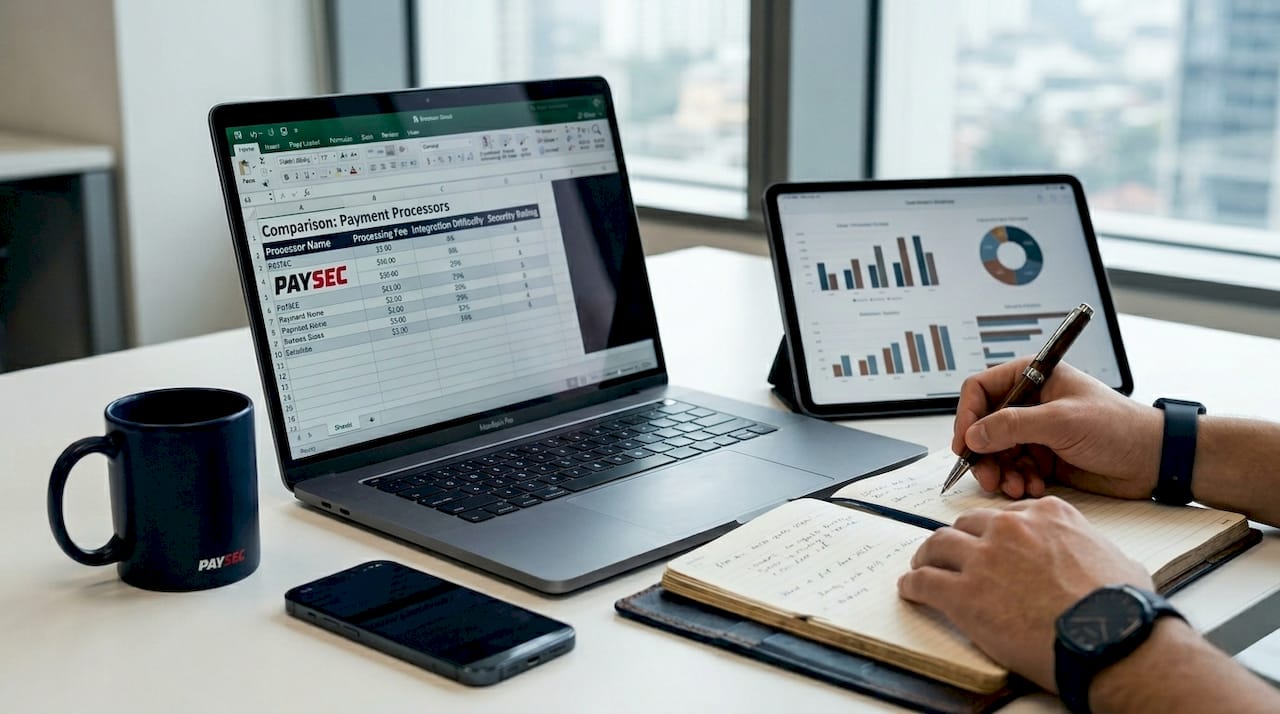
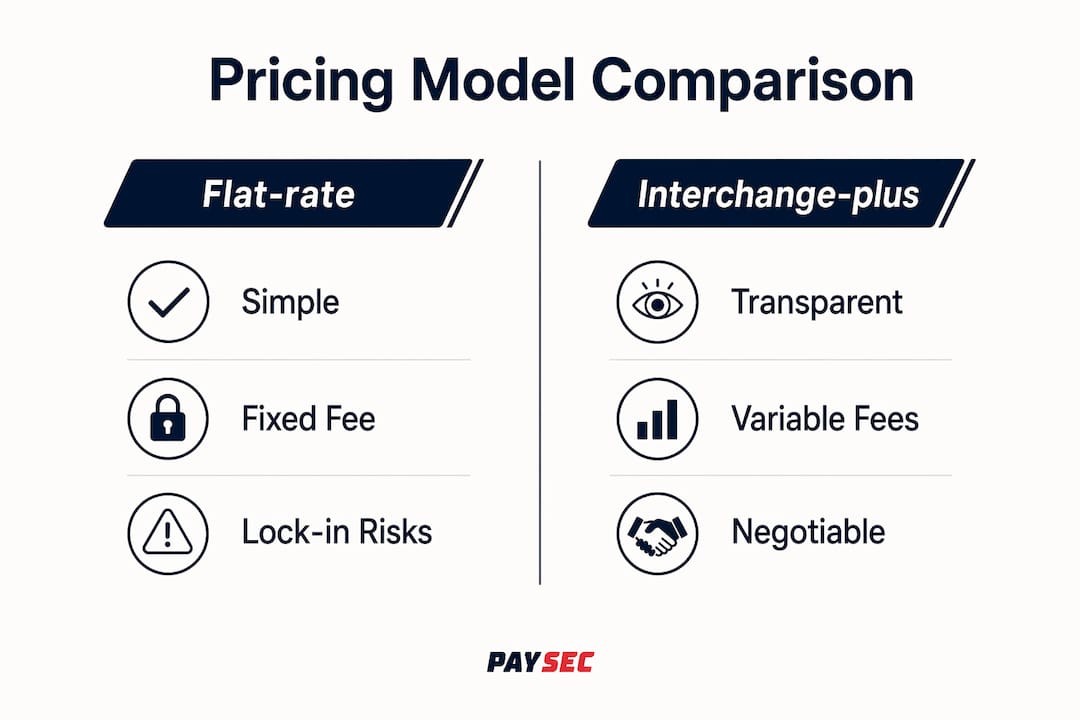
Three pricing models dominate the market: flat-rate, interchange-plus, and network offset pricing. Flat-rate pricing (common with providers like Square) charges a fixed percentage per transaction regardless of card type. It is predictable but expensive for high-volume merchants because you pay the same rate on a debit card as on a premium rewards card. Interchange-plus pricing passes the actual interchange cost from Visa or Mastercard to you and adds a fixed markup. It is more transparent, but the markup varies by provider and the statements can be difficult to read.
Network offset pricing, the model Paysec uses, takes a different approach entirely. It allows merchants to offer customers a small discount for using lower-cost payment methods, effectively shifting the processing cost to the customer who chooses a premium card. This model can deliver savings of 30 to 60% compared to flat-rate pricing and eliminates the hidden margin that processors embed in interchange-plus markups. For a detailed breakdown of how these models compare in practice, Paysec's pricing model guide covers the math with real merchant examples.
| Processor type | Pricing model | Token vault portability | Best for |
|---|---|---|---|
| Flat-rate providers | Fixed % per transaction | Typically proprietary | Low-volume or new merchants |
| Interchange-plus providers | Interchange + fixed markup | Varies by provider | Mid-volume merchants wanting transparency |
| Network offset providers (e.g., Paysec) | Customer-offset model | Configurable | High-volume merchants focused on cost reduction |
| Orchestration platforms (e.g., Gr4vy, Spreedly) | Platform fee + PSP fees | PSP-agnostic vault | Multi-PSP or global merchants |
Pro Tip: Request a full fee schedule from any processor you evaluate, not just the headline rate. Ask specifically about chargeback fees, monthly minimums, PCI non-compliance fees, and early termination penalties. These line items often cost more annually than the difference in transaction rates.
When evaluating ecommerce payment options, multi-currency support and local payment method coverage deserve as much attention as pricing. A processor that handles USD and EUR well but cannot process iDEAL in the Netherlands or PIX in Brazil will limit your growth in those markets. Without orchestration, switching one processor might remove access to key payment methods or reduce transaction approval rates in specific regions.
Key factors to evaluate beyond price:
- Token vault ownership: Does the processor own your tokens, or can you export them?
- Local payment method coverage: Which alternative payment methods does the processor support natively?
- Authorization rate reporting: Does the processor provide granular approval rate data by card type, geography, and currency?
- Integration flexibility: Does the processor support your current platform (Shopify, WooCommerce, Adobe Commerce, Magento)?
- Contract terms: Are there long-term commitments or volume minimums?
Lock-in costs can reach thousands annually per million dollars processed when you factor in higher fees and reduced negotiating leverage. Treating token portability as a core selection criterion, not an afterthought, is what separates merchants who switch freely from those who are stuck.
Step-by-step process for switching without downtime
A structured migration plan is the difference between a clean cutover and a weekend of failed transactions. The following process applies whether you are moving from one PSP to another or adding a new processor alongside your existing one.
- Audit your current setup. Document every payment method, stored token, recurring billing schedule, and payment page script. This audit becomes your migration checklist.
- Select your new processor and negotiate terms. Confirm token import capabilities, PCI compliance documentation, and integration requirements before signing anything.
- Update your PCI compliance posture. Work with your QSA to understand how the new processor changes your payment page scope. Update your script inventory under requirement 6.4.3 and configure tamper-detection under requirement 11.6.1 before go-live.
- Migrate stored card data. Coordinate a PSP-to-PSP token transfer if both providers support it. If not, plan a customer re-entry campaign with clear communication and incentives to minimize churn.
- Integrate and test in a sandbox environment. Build the new payment integration in a staging environment and run end-to-end transaction tests covering authorizations, refunds, chargebacks, and recurring billing cycles.
- Run a controlled traffic split. Testing with a fraction of live traffic before full cutover catches token acceptance issues, reconciliation errors, and edge cases that staging environments miss. Start at 5 to 10% of transactions.
- Monitor and validate. Track authorization rates, decline codes, and reconciliation reports in real time during the ramp-up period. Set alert thresholds for any metric that drops below your baseline.
- Complete the cutover and decommission the old integration. Once the new processor handles 100% of traffic cleanly for 48 to 72 hours, formally close out the old integration and update your PCI documentation.
The most expensive migration mistakes happen in steps 3 and 4. Merchants who treat PCI compliance as a post-launch checkbox and who assume tokens will "just transfer" are the ones who end up with failed subscriptions and compliance findings. Build both into your project plan from day one.
Pro Tip: Use a payment orchestration layer during the traffic split phase. It lets you route a defined percentage of transactions to the new processor without touching your core integration, and you can roll back instantly if something goes wrong.
Common pitfalls to avoid during migration include failing to notify your acquiring bank of the switch, overlooking webhook endpoint updates that trigger order fulfillment, and forgetting to update payment method icons and accepted card logos on your checkout page. Each of these creates customer-facing friction that shows up in cart abandonment data before you trace it back to the payment change.
How payment orchestration and a neutral token vault can future-proof your payments
Payment orchestration is the practice of routing transactions dynamically across multiple PSPs using a single integration layer. Instead of being locked to one processor, you connect to several and let routing logic decide which one handles each transaction based on real-time performance data.
Dynamic routing based on BIN data, geography, currency, and real-time PSP performance can increase authorization rates by up to 12%. That number compounds quickly at scale. A merchant processing $5 million per month who improves authorization rates by 5 percentage points recovers $250,000 in revenue that would otherwise have been declined. The routing logic considers factors like which processor has the best relationship with a specific issuing bank, which currency conversion path is cheapest, and which provider is experiencing latency at that moment.
A neutral token vault amplifies these benefits. A PCI DSS certified token vault that stores provider-agnostic tokens lets you switch PSPs or add new ones without migrating customer card data again. The token lives in the vault, not with the processor, so your customers never need to re-enter their payment details regardless of how many times you change your backend infrastructure.
Key benefits of combining orchestration with a neutral vault:
- Failover protection: If one PSP goes down, transactions automatically route to a backup processor with no customer-facing interruption.
- Cost optimization: Route debit transactions to the lowest-cost processor and premium card transactions to the processor with the best approval rate for that card type.
- Regional coverage: Add local processors for specific markets without rebuilding your integration or migrating tokens.
- Negotiating leverage: When your business is not locked to a single processor, you can negotiate rates from a position of strength.
| Capability | Single PSP setup | Orchestration + neutral vault |
|---|---|---|
| Failover on PSP outage | None | Automatic rerouting |
| Token migration on switch | Required | Not required |
| Authorization rate optimization | Static | Dynamic per transaction |
| Local payment method flexibility | Limited to one PSP | Additive across PSPs |
| Negotiating leverage | Low | High |
A centralized, PCI compliant vault that supports provider-agnostic tokens is the single infrastructure decision that eliminates future migration complexity. Merchants who build this into their architecture early avoid the token migration problem entirely on every subsequent switch.
Key takeaways
Switching your ecommerce payment processor delivers the most value when PCI compliance, token migration, and pricing model evaluation are treated as equally critical workstreams from the start.
| Point | Details |
|---|---|
| PCI compliance resets on switch | Update your script inventory and tamper-detection setup before going live with any new processor. |
| Token portability determines migration complexity | Confirm token export and import support with both your current and new PSP before signing a contract. |
| Pricing model drives total cost | Network offset and interchange-plus models consistently outperform flat-rate pricing for high-volume ecommerce merchants. |
| Traffic splitting reduces migration risk | Route 5 to 10% of live transactions to the new processor first and monitor authorization rates before full cutover. |
| Orchestration eliminates future lock-in | A neutral token vault combined with dynamic routing removes the need for token migration on every future switch. |
The case for building payment flexibility from day one
The merchants I see struggle most with payment processor switches are not the ones with complex integrations. They are the ones who made a single decision years ago to use a proprietary token vault and never questioned it. By the time they want to switch, they are sitting on hundreds of thousands of stored tokens that cannot move, and their only options are a costly migration project or a customer re-entry campaign that tanks their subscription retention.
The conventional wisdom in ecommerce payments is to pick the best processor for your current volume and revisit the decision when you grow. That advice made sense a decade ago. It does not hold up in 2026, when PCI DSS requirements change annually, authorization rates vary meaningfully by processor, and the difference between a good and a bad pricing model can represent six figures per year for a mid-size merchant.
What I have found actually works is treating your payment architecture the way you treat your cloud infrastructure. You would not build your entire application on a single cloud provider with no portability plan. The same logic applies to payments. Evaluate orchestration platforms like Gr4vy or Spreedly early, even if you are not ready to use them at full scale. Understand your token vault options before you need them. And read the choosing a payment processor guide before you sign your next contract, not after.
The merchants who negotiate the best rates are the ones who can credibly walk away. Token portability and orchestration give you that credibility. PCI compliance planning gives you the confidence to move fast when you find a better deal. Build all three into your payment strategy now, and every future switch becomes a business decision rather than a technical crisis.
— PaySec Marketing Team
See how Paysec eliminates processing fees for ecommerce merchants
Ecommerce merchants who switch to Paysec's Network Offset Pricing stop absorbing transaction fees entirely. Instead of paying 2.5 to 3.5% on every sale, Paysec's model lets you offer customers a small discount for choosing lower-cost payment methods, keeping your full revenue intact. There are no hidden fees, no monthly minimums, and no long-term contracts. Merchants across 18+ industries report processing cost reductions of 30 to 60%, with some seeing a 42% drop in total fees within the first billing cycle.
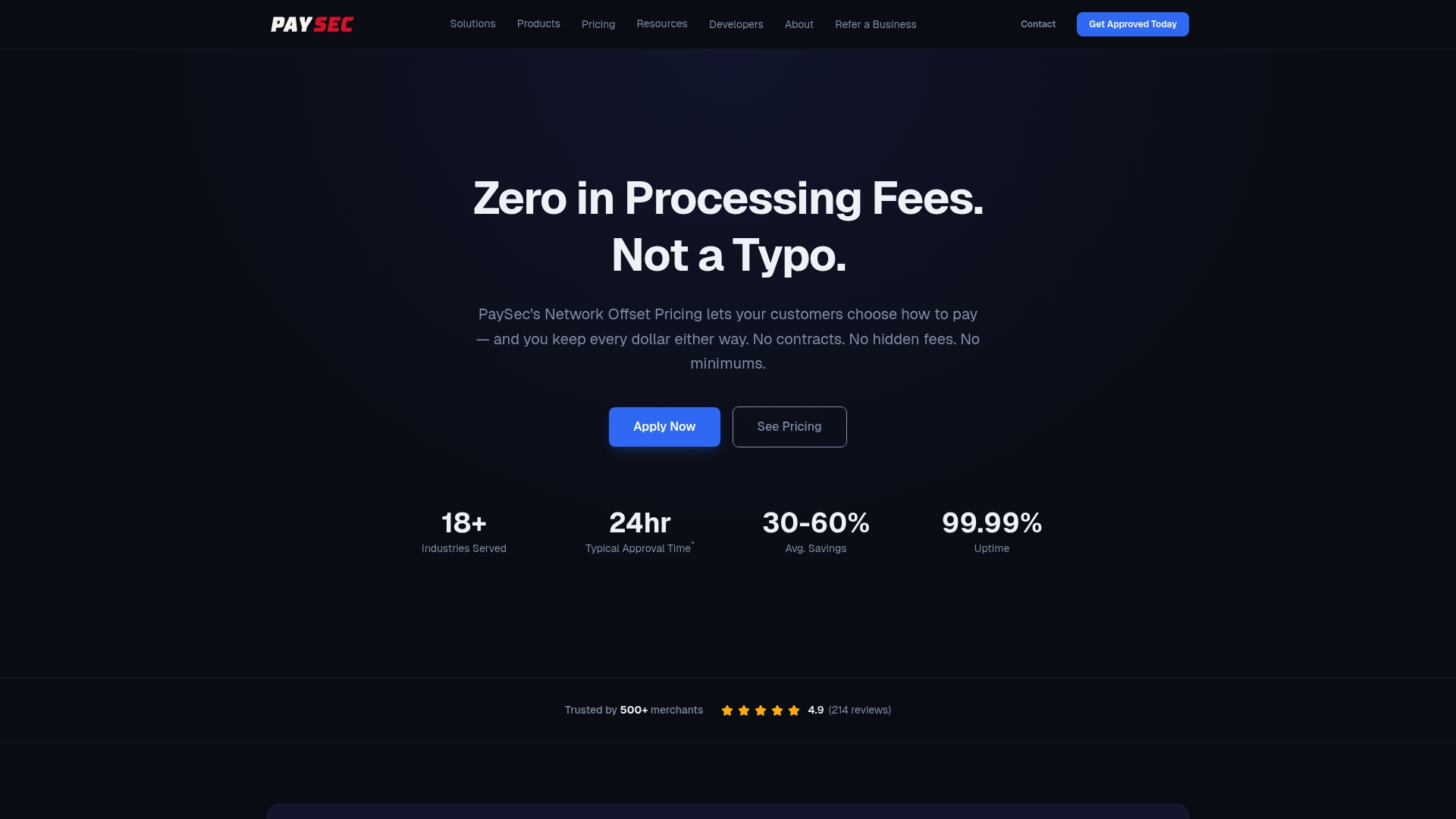
Paysec also provides detailed transaction reporting that makes pricing completely visible, so you always know exactly what you paid and why. If you are ready to stop guessing at your true processing costs, explore Paysec's merchant services or visit paysec.ai to see the zero-fee model in action.
FAQ
What does it mean to switch ecommerce payment processors?
Switching your ecommerce payment processor means replacing your current PSP with a new one that handles transaction authorization, settlement, and payment data storage. The process includes migrating stored tokens, updating PCI compliance documentation, and integrating the new provider into your checkout flow.
How long does a payment processor migration take?
Most ecommerce payment processor migrations take four to twelve weeks depending on integration complexity, token migration volume, and PCI compliance requirements. Merchants with large stored token databases or complex recurring billing setups should plan for the longer end of that range.
Will switching processors affect my stored customer card data?
Yes. Most PSPs use proprietary tokens that do not transfer automatically, so you need to arrange a PSP-to-PSP token transfer or an encrypted card data export within a PCI-compliant environment before switching.
What is network offset pricing and how does it reduce fees?
Network offset pricing lets merchants offer customers a small discount for choosing lower-cost payment methods like debit cards, shifting the processing cost to the customer who selects a premium card. Paysec's implementation of this model delivers processing cost reductions of 30 to 60% compared to standard flat-rate pricing.
Do I need to update my PCI compliance when I change payment processors?
Yes. Changing processors often changes the scripts and forms on your payment page, which directly affects your PCI DSS scope. Requirements 6.4.3 and 11.6.1, mandatory since March 31, 2025, require you to maintain an authorized script inventory and configure tamper-detection on your payment page before going live with any new processor.