
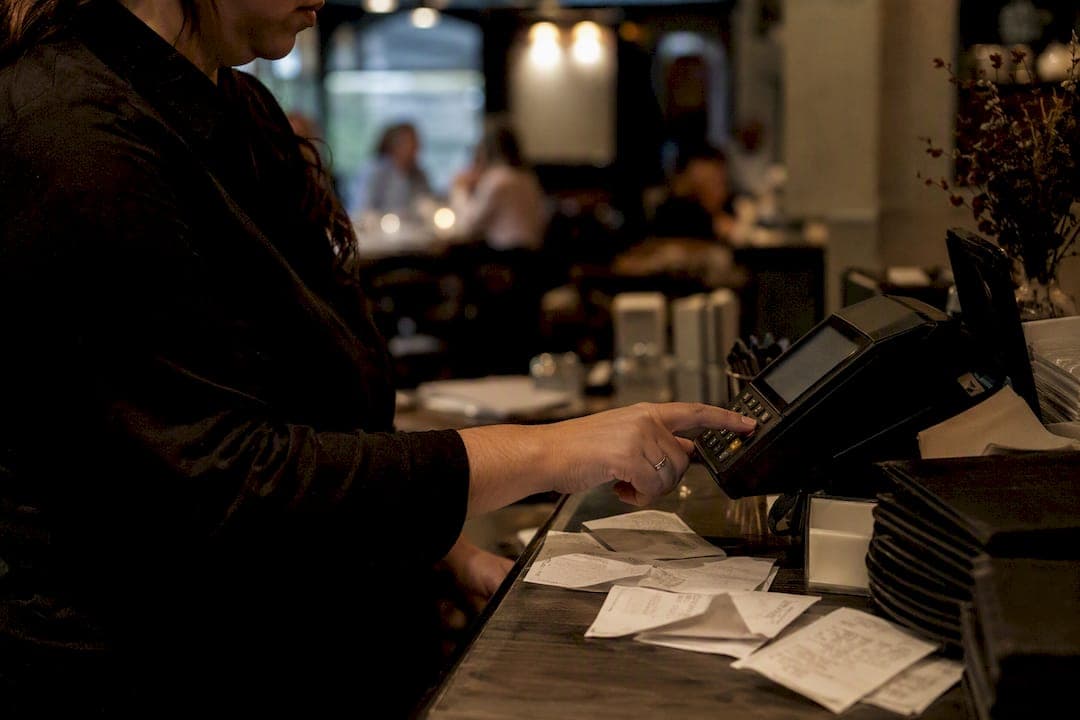
A batch is simply the group of authorized card transactions your POS holds throughout the day and sends to your payment processor for settlement in one bundle, rather than one transaction at a time. This single step, closing and submitting that batch, determines when cash hits your bank account, how clean your reconciliation looks, and how disputes get resolved later, which directly impacts your restaurant's cash flow and available working capital as explained in this guide.
Three things flow directly from how you handle batching:
- Cash flow timing: Most batches settle in 1 to 3 business days, so your close-of-day timing affects when Friday's dinner rush becomes usable cash.
- Reconciliation accuracy: Every batch report needs to match your bank deposit line for line, or you're chasing missing dollars come Monday morning.
- Dispute exposure: Voids and refunds processed before a batch closes never reach the card network. Miss the window, and you're stuck fighting a chargeback instead.
This guide walks through the full transaction flow, when to close batches, how settlement timing actually works, and the reconciliation habits that keep your books clean. Standards from PCI DSS and EMVCo shape a lot of what happens behind the scenes, and Paysec's own reporting tools show up later as one practical way to make the whole process easier to see.
Key Takeaways
Payment batching determines how quickly restaurants get paid, how cleanly they reconcile deposits, and how much they pay in processing fees.
| Point | Details |
|---|---|
| Batching is a six-step flow | Authorization, hold, batch close, submission, clearing, and deposit happen in that order every day. |
| Settlement typically takes 1 to 3 business days | Cutoff times, weekends, and card brand all affect exactly when funds post. |
| Reconcile two numbers daily | Match batch total to settled total, and batch ID to your bank deposit reference. |
| Voids and refunds behave differently | A void before close disappears from the batch; a refund after close reduces a future settlement. |
| Paysec adds batch-to-deposit visibility | Real-time reporting and interchange-plus pricing have helped merchants cut processing costs by 30 to 60%. |
Table of Contents
- How Payment Batching Works in Restaurants: The Full Transaction Flow
- When Should Restaurants Close a Batch?
- When Do Restaurants Actually Get Their Money?
- How to Reconcile Batch Reports With Your Deposits
- Fixing the Most Common Batch Problems
- Does Batching Affect Your Processing Fees?
- What Security Standards Apply to Batch Processing?
- How Paysec Simplifies Batching and Reconciliation
- See How Network Offset Pricing Works for Your Restaurant
- Sources
- FAQ
How Payment Batching Works in Restaurants: The Full Transaction Flow
Here's the short version: a card gets authorized, the transaction sits in an open batch, the batch closes and gets submitted to your processor, the card networks clear it, and your bank deposits the funds. Six steps, one predictable sequence, every single day.
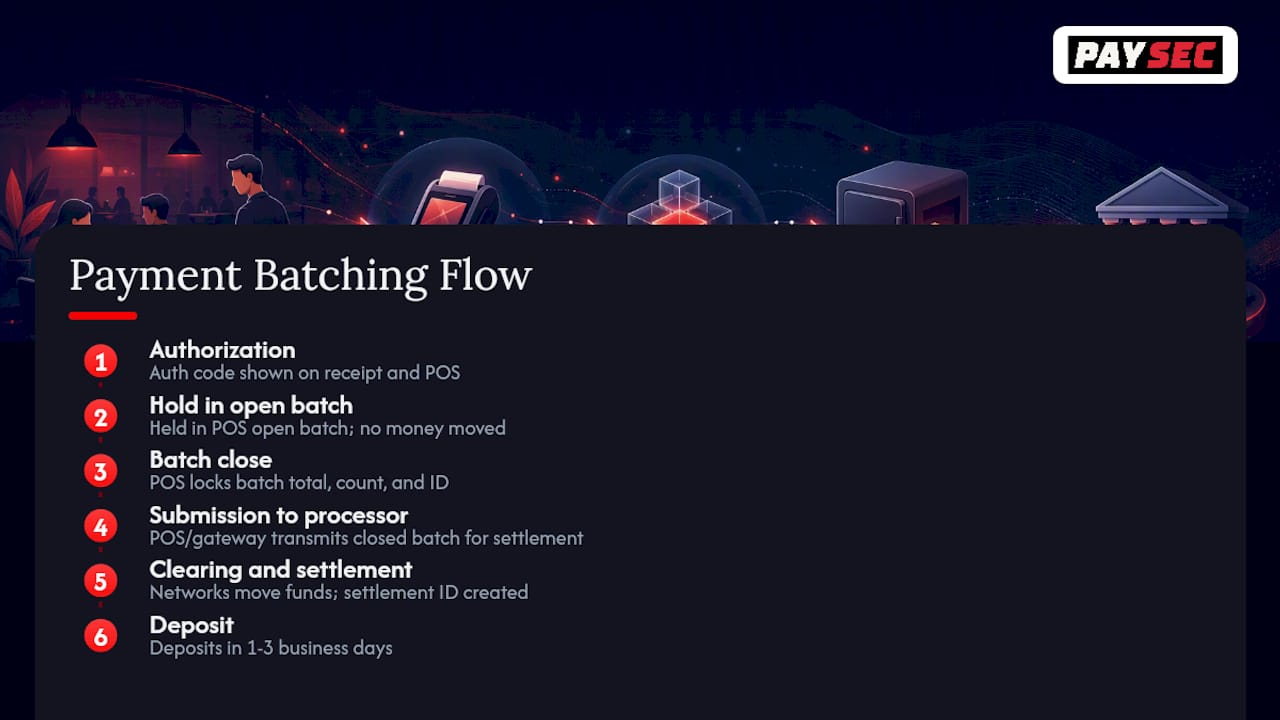
1. Authorization. The guest taps, dips, or swipes. Your terminal sends the transaction to the processor, which routes it through the card network to the issuing bank for approval. This produces an authorization code, visible on the receipt and in your POS transaction log.
2. Hold in the open batch. Approved transactions sit in an "open batch" on your POS all shift long. Nothing has moved money yet. This is just a running tally of everything the terminal has authorized.
3. Batch close. At end of day (or end of shift, depending on your settings), someone closes the batch. The POS locks in a batch total, a transaction count, and a batch ID. This is the number you'll compare against your deposit later.
4. Submission to the processor. The POS or gateway transmits the closed batch to your processor for settlement.
5. Clearing and settlement. The processor works with the card networks to move funds from each issuing bank toward your acquiring bank. This step generates a settlement ID that ties back to your original batch.
6. Deposit. Funds land in your merchant bank account, typically within 1 to 3 business days of the batch closing.
Example timeline: Batch closes at 11:00 PM Tuesday. Processor picks it up overnight. Card networks clear Wednesday. Deposit posts to your account Wednesday or Thursday, depending on your bank's cutoff.
Pro Tip: At close, pull two numbers from your POS report: total authorizations for the shift and total settled amount in the closed batch. They should match exactly. A gap usually means a transaction failed to capture or a card was authorized but never completed, and catching it same-night is far easier than tracing it three days later against a bank statement.
When Should Restaurants Close a Batch?
The simplest rule: close once, at the end of the business day, after your last shift wraps. That works for most single-location, single-shift restaurants. It stops working the moment you run overlapping shifts, late-night service, or high transaction volume that makes a single end-of-day report unwieldy to audit.
Common batching schedules:
- End-of-day close: One batch, one deposit cycle, simplest to reconcile. Best for standard breakfast-lunch-dinner operations.
- Per-shift close: Separate batches for lunch and dinner. Isolates errors faster and ties tip pooling to a specific shift, but doubles your reconciliation work.
- Scheduled automatic close: The POS closes batches on a timer, useful for quick-service spots with continuous, high-volume traffic.
- Manual mid-day close: Used for large private events or catering, so that revenue doesn't get buried inside the regular dinner batch.
To adjust this, look in your POS admin settings for "batch settings" or "auto-close time," and confirm with your processor or integration partner whether your account supports per-shift settlement without added fees.
When Do Restaurants Actually Get Their Money?
Card payments typically settle within 1 to 3 business days of the batch closing, but that window isn't fixed. Several factors push it longer or shorter:
- Card brand: Some networks clear faster than others.
- Issuing bank processing speed: The cardholder's bank has to release funds on their end too.
- Weekends and holidays: Batches closed Friday night often don't clear until Monday or Tuesday.
- Batch cutoff time: Close after your processor's daily cutoff, and the batch rolls into the next processing cycle.
- Merchant account type: Dedicated merchant accounts sometimes get more predictable funding schedules than aggregated accounts.
- Fraud holds: Unusual volume or ticket sizes can trigger a manual review that delays deposit.
Example: A batch authorized and closed on Monday clears with the processor Tuesday, and lands in your account Tuesday or Wednesday. Close that same batch late Friday night, and don't be surprised if it's Monday before you see it. Some processors offer same-day or next-day settlement options for an added cost, worth asking about if weekend cash flow is tight.
How to Reconcile Batch Reports With Your Deposits
Two checks matter more than any other: does your batch total match your settled total, and does your batch ID match the reference number on your bank deposit? Get those two right, and most reconciliation problems disappear before they start.
Pull these fields off your batch report every single day:
- Batch ID and settlement ID
- Batch open and close time
- Total transaction count
- Gross sales total
- Tips collected
- Refunds and voids issued
- Processing fees deducted
- Net deposit amount
A quick walkthrough. Say Tuesday's dinner batch shows $4,200 in gross sales across 68 transactions, including one $45 refund processed before close and one $30 void caught mid-shift. The void never reaches the batch at all, since it was reversed before settlement. The refund does appear, reducing your net deposit by $45 plus any applicable fee. Your batch report should show gross sales of $4,200, a $45 refund line, and a net settled total of $4,155 before fees. Match that $4,155 (minus processing fees) against the deposit reference in your bank statement, and you've confirmed the batch closed clean.
Refunds and voids behave differently depending on timing. A void, cancel a transaction before batch close, and it disappears from the batch entirely. A refund processed after close reduces a future settlement instead, since the original charge has already gone to the card network. Chargebacks work on a longer timeline still: they can surface weeks after a transaction settles, debited separately from your account rather than netted against a specific batch.
Fixing the Most Common Batch Problems
Most batch headaches trace back to six recurring issues: missing receipts, duplicate transactions, partial batch submission, late deposits, mismatched tips, and authorization re-presentments (a failed transaction resubmitted automatically).
- Missing transactions: Pull the POS transaction log and compare timestamps against the batch report. A transaction authorized but never captured won't appear in the closed batch.
- Duplicate charges: Check the terminal's network connection logs around the timestamp in question. Duplicate submissions often trace back to a timeout that triggered a manual retry.
- Partial batch submission: If the batch total looks short, check for a network interruption during transmission to the processor. Some POS systems flag this automatically as a "batch error."
- Late deposits: Confirm the batch actually closed before your processor's daily cutoff. A late close pushes the whole deposit to the next cycle.
- Mismatched tips: Cross-check the tip total on the batch report against your tip-adjustment log before close, not after.
A "network timeout" error code generally means the terminal lost connection mid-authorization, harmless if the sale reprocesses, worth investigating if it happens repeatedly. A straight decline code means the issuing bank refused the charge, no batch action needed.
Pro Tip: Call your POS vendor first for terminal or software errors, and your processor for anything settlement or deposit related. Either way, have your batch ID, merchant ID, transaction timestamp, and the last four digits of the card ready before you dial. It cuts the average support call in half.
Does Batching Affect Your Processing Fees?
Batching itself doesn't set your interchange rate, but it shapes the timing and classification that determine your final cost. Settling promptly and accurately tends to keep transactions qualified at better interchange tiers, while delayed or corrected batches can push transactions into higher-cost categories.
Fee drivers worth understanding:
- Interchange categories: Set by the card networks, based on card type, transaction method, and how quickly you settle.
- Miscellaneous processor fees: Batch fees, statement fees, and per-item charges some processors tack on regardless of interchange.
- Flat markups: A processor's margin on top of interchange, which varies enormously between pricing models.
Consolidating into fewer, well-timed batches can reduce the fixed overhead tied to each settlement cycle, since some pricing structures charge per batch rather than purely per transaction. That's conceptually similar to how combining many payments into a single transmission reduces average per-payment cost in other payment contexts, spreading a fixed cost across more volume.
Pro Tip: Ask your processor directly whether you're on interchange-plus pricing. It's the only model that shows you the real interchange cost separately from the markup, which makes it far easier to see whether your batching schedule is actually helping or hurting your rate.
What Security Standards Apply to Batch Processing?
Keep raw cardholder data out of your batch exports. Use tokenization wherever your POS supports it, and confirm your terminals are EMV-capable to reduce fraud-related authorization holds.
Minimum checks worth running:
- Confirm your POS and gateway integration are within PCI DSS scope requirements, and ask your provider what they've done to reduce that scope on your behalf.
- Verify terminals meet current EMV specifications for chip acceptance.
- Confirm batch transmission uses encrypted, authenticated channels, TLS at minimum, not an open connection.
- Run a monthly audit of who has access to batch export files and settlement reports.
These aren't one-time setup items. Card network requirements and fraud patterns shift, so a quarterly review of your PCI attestation status is worth the hour it takes.
How Paysec Simplifies Batching and Reconciliation
Paysec gives restaurants a clear view of batch activity from open to deposit, with settlement IDs attached directly to reporting so a batch total and a bank deposit are never a guessing game. Merchants across 18+ industries have used network offset pricing to cut processing costs by 30 to 60%, with some seeing reductions as high as 42%, largely because transparent interchange-plus pricing exposes exactly what's driving each fee line.
For a multi-shift operation running lunch and dinner batches separately, that visibility matters. Instead of two disconnected reports to chase down, Paysec's real-time reporting ties each batch ID to its settlement outcome as it happens, not the next morning.
What that looks like day to day:
- Detailed batch and settlement reports that match deposit references automatically
- No hidden fees layered into the batch or settlement process
- Support built for the specific requirements of restaurant POS and merchant account structures
- PCI DSS Level 1 and SOC 2 compliant infrastructure behind every transaction
A note from payments operations
Pick one closing cadence and stick to it. That's the single biggest lever most restaurants overlook, more than any fee negotiation or POS upgrade. Assign one person per shift to own the close, keep a printed or PDF batch record archived for every day, and cross-check tips before the batch locks, not after. The restaurants with the cleanest books aren't running fancier systems. They're just consistent about the boring five minutes at close.
See How Network Offset Pricing Works for Your Restaurant
Paysec gives restaurant operators the same batching clarity described throughout this guide, tied directly to pricing you can actually see. Rather than guessing what interchange categories or processor markups are eating into your daily deposit, Paysec's network offset pricing shows the real cost breakdown behind every batch, with no long-term contracts and no minimums locking you in.
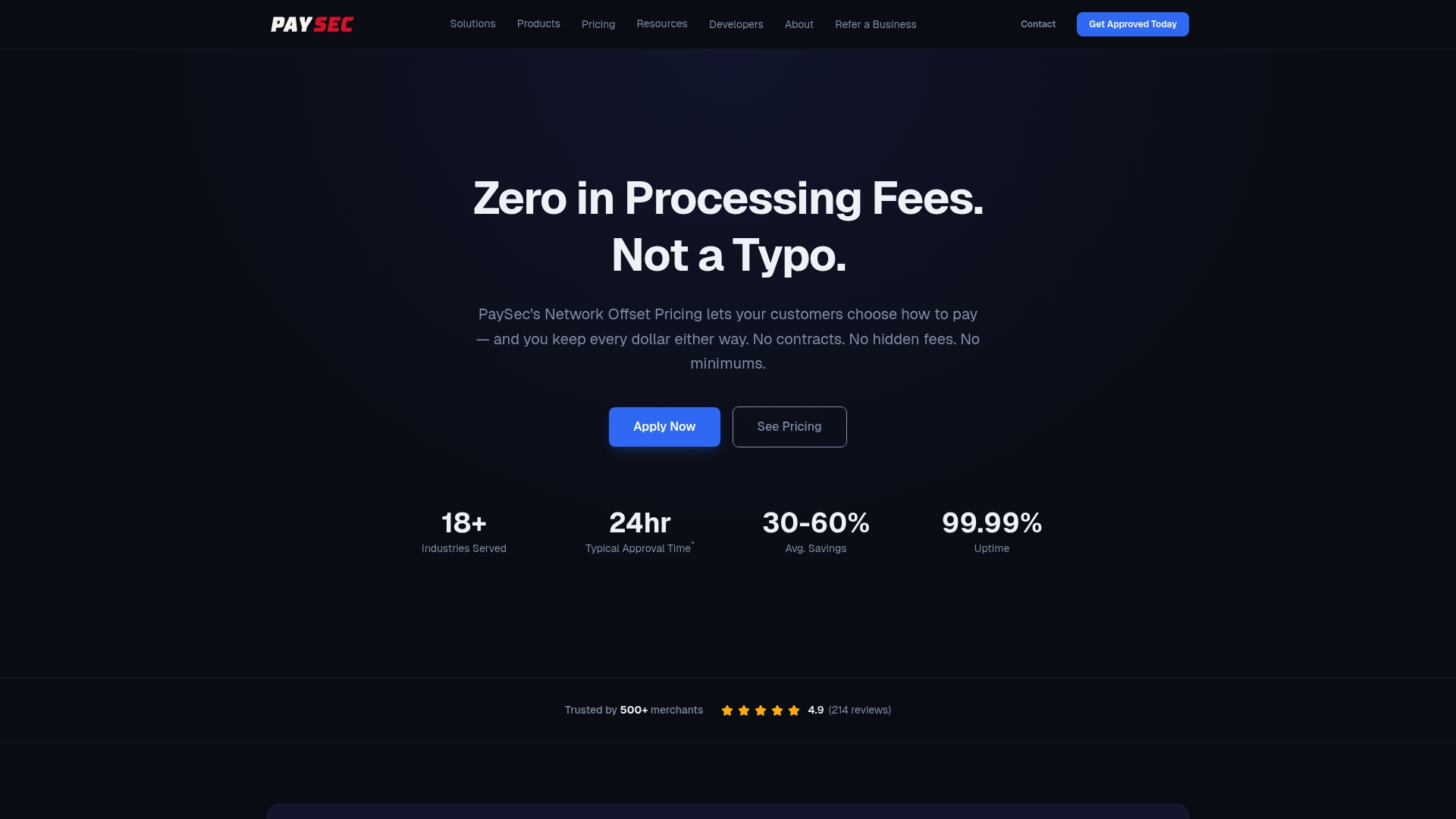
Restaurants running multiple shifts or high transaction volume tend to benefit most from having settlement IDs and batch totals matched automatically, rather than reconciled by hand every night. Paysec's restaurant payment processing solutions connect directly with existing POS setups, so batching, reporting, and deposits stay visible in one place. Check the pricing details for your volume, or reach out to book a demo and see what a transparent batch and settlement report actually looks like for your operation.
Sources
- How Payment Processing Works in Restaurants | Restaurant Association
- What Does Batch Settlement Mean in Restaurants-
- Payment batching | Bitcoin Optech
- EMVCo
This article is general information, not a substitute for advice from a qualified financial advisor. Consult a qualified financial professional about your own circumstances before acting on anything here.
FAQ
How Do Batch Payments Work?
A batch groups all the card transactions authorized during a shift or day into one submission to your processor, which then settles them together rather than one at a time.
How Does Payment Work at a Restaurant, Step by Step?
A card is authorized at the table or counter, held in an open batch through the shift, then closed and sent to the processor for settlement, with funds typically reaching the merchant account within 1 to 3 business days.
How Is Batch Processing Done in a Restaurant?
Most POS systems close the batch automatically at a set time or manually at end of shift, generating a batch ID and total that gets transmitted to the processor for clearing.
How Long Do Batch Payments Take to Settle?
Settlement commonly takes 1 to 3 business days, though weekends, holidays, and processor cutoff times can push that window longer.
Can PaySec Help Restaurants Track Batch and Settlement Data?
Yes. Paysec's reporting tools tie settlement IDs directly to batch reports, so managers can match deposits to batch totals without cross-referencing multiple systems.